Why Page View Counting Still Matters for Real Website Analytics
When I first started working with website analytics over a decade ago, the first metric everyone looked at was the pageview. It seemed so simple, count how many pages people looked at, and you had a sense of your site's popularity. Over time, the conversation shifted. Google Analytics made it easy to track sessions, bounce rate, and user engagement. Suddenly, page view counting felt almost old-fashioned, like something from the era of Apache log files and raw server logs. But after years of helping businesses make sense of their traffic, I have come to see that page view counting still carries real weight, especially when used alongside more nuanced metrics.
Too many marketers today dismiss raw pageviews as a vanity metric. They argue that a unique visitor who lands on one page and leaves is less valuable than someone who visits five pages, even if the latter visitor has a lower pageview count. That is a fair point, but it skips over something important. Pageview data, when cleaned and segmented, reveals patterns about content consumption, site architecture, and user intent that session duration or bounce rate alone cannot show. The trick is knowing how to read it.
The Basics of Page View Counting: What It Actually Tells You
At its core, page view counting is the process of recording each time a page on your site is loaded by a browser or app. Every time a visitor refreshes a page, that counts as an additional pageview. That sounds straightforward, but the implementation matters a great deal. Historically, server-side tracking counted every request to the server, including image files and CSS, which inflated numbers. Modern tools like Google Analytics use a JavaScript tag embedded in the page, which fires only when the page renders in the browser. This approach eliminates bot traffic and partial loads, giving you a cleaner count.
But even clean pageview numbers can be misleading if you do not pair them with other data. A high number of pageviews might mean your content is engaging, or it might mean your navigation is confusing and users are clicking around looking for what they need. That is where segmentation comes in. By filtering pageviews by traffic sources, you can see whether referral traffic from a blog post leads to deeper exploration compared to visitors from a paid ad. Similarly, segmenting by device type might show that mobile users view fewer pages because your site is not optimised for small screens.
Beyond the Number: How Pageview Data Connects to User Engagement
One of the most practical uses of page view counting is in content performance analysis. When I audit a client's site, I always look at which pages get the most views and how those views correlate with session duration and bounce rate. A blog post that gets 10,000 pageviews but has a bounce rate of 90 percent and an average session duration of 15 seconds is not really a success. It might be a sign that the headline or meta description promised something the content did not deliver, or that the page loaded slowly on mobile. On the other hand, a product page with 500 pageviews and a bounce rate of 40 percent, with visitors spending three minutes on average, is a strong signal that the page is converting interest into consideration.
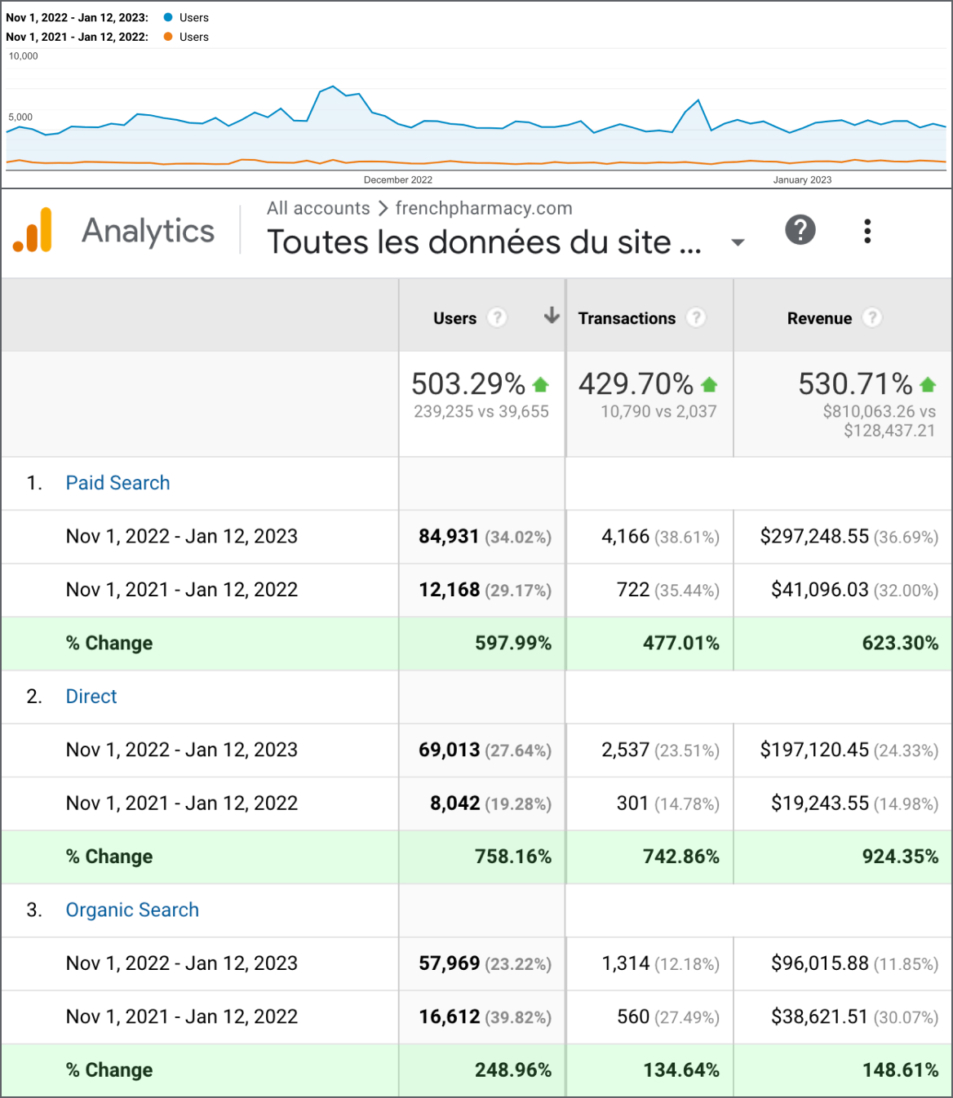
Real-time analytics tools let you watch pageview counts as they happen. I remember launching a new landing page for a client and seeing the pageview counter jump within minutes after a social media post went viral. That immediate feedback is invaluable for A/B testing and conversion rate optimization. You can see which variant gets more views and then dig into whether those views lead to clicks on your call-to-action. Without page view counting as a baseline, you are flying blind.
Server-Side vs. Client-Side: The Technical Trade-Offs
There is an old debate between server-side tracking and client-side methods like the JavaScript tag or Pixel. Server-side tracking, which parses Apache log files or equivalent, records every HTTP request. This includes raw pageviews from bots, spiders, and even your own internal team if you are not careful. The advantage is that you capture every interaction, even if the user has JavaScript disabled or an ad blocker running. The downside is the noise. I have seen clients panic over a sudden spike in pageviews only to discover it was a search engine crawler re-indexing their site.
Client-side tracking, using a JavaScript tag from Google Analytics or Adobe Analytics, gives you a cleaner count because it only fires when the page is fully rendered and the user's browser executes the script. However, this approach misses visitors who leave before the page finishes loading, which can be significant on slower connections. For most businesses, a hybrid approach works best: use client-side analytics for user behavior data and supplement it with server logs for traffic volume verification. Cookie tracking also plays a role here, helping tools differentiate between new and unique visitor counts, though privacy regulations have made cookie-based tracking more restricted.
Real-World Example: Diagnosing a Drop in Traffic
A few years ago, I worked with a mid-sized e-commerce site that noticed a steady decline in pageview numbers over three months. The team assumed it was a seasonal dip, but the unique visitor count was stable. That discrepancy was a red flag. By looking at pageview data segmented by page type, we found that the product detail pages were losing views while the category pages held steady. Further investigation revealed that a recent site redesign had moved the "Add to Cart" button below the fold on mobile devices, causing users to bounce before scrolling. The fix was simple, but without page view counting to surface the problem, the team would have kept guessing.
This example shows why pageview data remains indispensable for technical audits. It is not just about counting; it is about comparing counts across segments to isolate issues. Clickstream analysis, which tracks the sequence of pages a visitor loads, relies heavily on accurate pageview timestamps. If your pageview counting is off by even a few seconds, the path analysis becomes unreliable.
When Pageview Data Misleads, and How to Correct It
Page view counting has its pitfalls. One common issue is inflated numbers from reloads or internal testing. Another is the difficulty of distinguishing between human visitors and bots that execute JavaScript. Tools like Google Analytics have built-in bot filtering, but it is not perfect. I have also seen cases where a single user session generates hundreds of pageviews because of an infinite scroll implementation that loads new content via AJAX without changing the URL. In those cases, the pageview count becomes meaningless for measuring engagement.
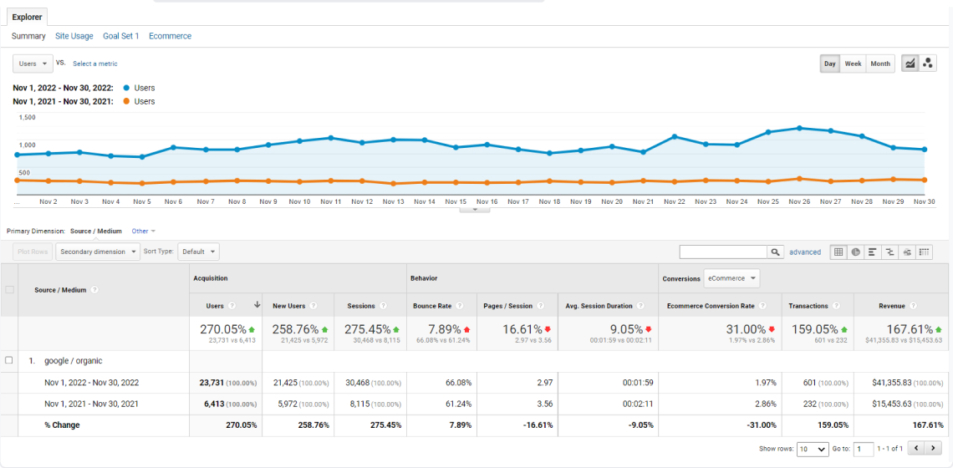
The solution is to pair pageview data with event tracking. By tracking specific actions, like clicks on a button, form submissions, or video plays, you can validate whether a high pageview count corresponds to genuine interest. For example, a blog post with 2,000 pageviews and 50 event-tracked newsletter signups is more valuable than a post with 5,000 pageviews and zero conversions. Pageview numbers give you the scale; event tracking gives you the quality.
Using Page View Counting for Conversion Rate Optimization
In conversion rate optimization, pageview data helps you identify friction points. If a checkout page has a high pageview count but a low conversion rate, it suggests visitors are returning to that page multiple times without completing the purchase. That might point to a technical issue, a confusing form, or a lack of trust signals. Likewise, if a pricing page has fewer pageviews than expected, you might need to improve the navigation paths leading to it.
Segmentation is your best friend here. By breaking down pageviews by traffic source, you can see which channels drive the most engaged visitors. Referral traffic from a trusted blog might produce lower pageview counts but higher conversion rates, while paid social might generate high pageview numbers but low engagement. That knowledge lets you allocate budget more effectively. A dashboard that combines pageview counts with bounce rate, session duration, and conversion data gives you a complete picture.
The Role of Pageview Data in Content Strategy
Content marketers often obsess over pageviews as a measure of success. But the real value comes from comparing pageview counts across similar pieces of content. If you publish ten blog posts a month and three of them account for 70 percent of your pageviews, those three topics deserve more investment. You might create additional content around those themes, update the original posts, or promote them to new audiences. Without pageview data, you are guessing which topics resonate.
That said, do not ignore the long tail. A single blog post that gets 100 pageviews a month consistently for two years has a cumulative impact that a viral post with 10,000 pageviews in one week might not match. Pageview trends over time reveal which content has staying power. Tools like Adobe Analytics allow you to set up date ranges and compare periods, making it easy to spot evergreen performers.
Final Thoughts: Page View Counting as Part of a Balanced Analytics Practice
Page view counting is not the only metric you need, but it is a foundational one. It gives you the raw volume data that every other metric builds upon. Unique visitor counts tell you how many people come; session duration tells you how long they stay; bounce rate tells you how many leave immediately. But pageviews tell you how much content they consume. That is a different dimension of behavior, and it matters.
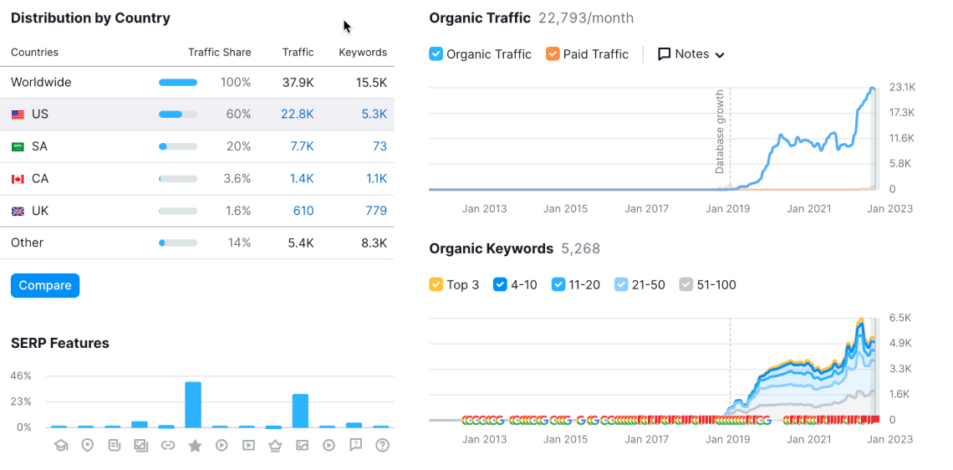
When I train new analysts, I always start with page view counting. I show them how to pull the data from Google Analytics, how to filter out noise, and how to segment by traffic sources, device, and landing page. Then I show them how to layer on event tracking, conversion data, and user engagement metrics. The goal is never to chase a high pageview number for its own sake. It is to understand what the number means in context.
If you are running a website and you have not looked at your pageview data in a while, I recommend revisiting it. Not as a vanity metric, but as a diagnostic tool. Pair it with session duration and bounce rate. Look at trends over time, not just absolute numbers. And remember that page view counting is most powerful when you combine it with other signals. It is the baseline that lets you ask better questions about your audience, your content, and your site's performance.